Data storage is one of the most critical parts of a computer’s design. After all, without storage, a computer cannot permanently store information for later access. For smaller devices, such as industrial tablets, two of the most common storage solutions are embedded multi-media cards (eMMC) and solid-state drives (SSDs).
eMMC and SSD: What Are Their Differences?
Both eMMCs and SSDs serve the same role: permanently storing critical data for the device they’re installed in. The key difference is in how they accomplish this.
Embedded Multi-Media Card (eMMC)
eMMC storage consists of a flash memory card, a flash memory controller, and a multimedia card soldered together and typically attached directly (or in other words, embedded) to the device’s motherboard. Other types of Multi-Media Card storage exist, but eMMC is historically the most common. Flash memory relies on maintaining an electrical charge that persists even if power is shut off. This means that a device can permanently save information without having to rely on spinning disks and platters used in older hard disk drives (HDDs).
Solid-State Drive (SSD)
SSDs are another form of data storage, based on the more modern Secure Digital (SD) standard. Designed specifically to replace HDD formats, SSDs also use NAND flash memory to preserve data, but in greater amounts; a typical SSD drive stores up to 2 TB of information. Unlike eMMCs, however, SSDs are not permanently soldered onto the motherboard. Instead, SSDs connect to the motherboard via interfaces such as SATA or PCIe slots and can be attached or detached as needed. This means that an SSD can be taken from one device, such as a computer or tablet, and plugged into another, simplifying data transfer.
Common Applications for eMMC and SSD Storage
Despite the differences in their technology and implementation, eMMC and SSD solutions often overlap in how they are used.
eMMC Use Cases
eMMCs are often used in roles that require a small footprint, such as smartphones and appliances. These devices do not have the physical space to support a larger dedicated storage solution, and do not need particularly fast transfer speeds. They can also be found in inexpensive tablets and laptops, which save money by using a cheaper form of storage.
SSD Use Cases
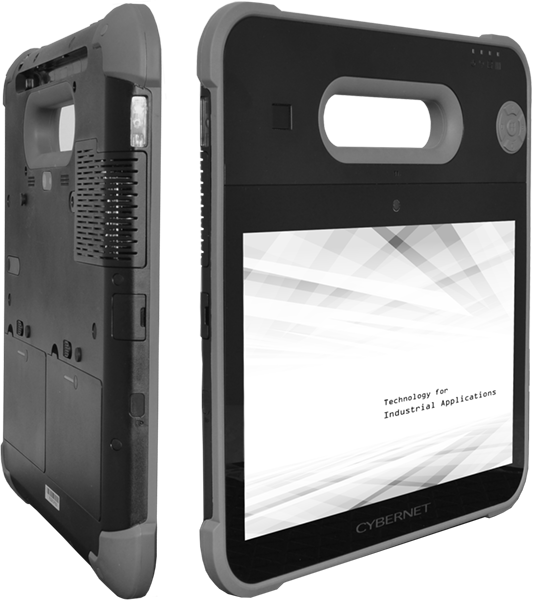
Thanks to their speed and increasing affordability, SSDs are often the storage option favored by higher-end industrial computers and tablets. They are also favored for roles that require ruggedness and durability, as they do not have any moving parts. This means there are fewer components in an SSD that can break and fall apart, making them ideal for industrial roles that face sudden shocks or heavy vibrations. SSD-equipped computers often work alongside heavy machinery or in vehicles for this reason.
Advantages and Disadvantages of eMMC vs. SSD
Given their overlap in function and application, it’s essential to understand the respective strengths and weaknesses of eMMC vs. SSD storage options before committing to one or the other.
Advantages and Disadvantages of eMMC Storage
The greatest advantage of eMMC storage is its small size. A typical eMMC is the size of a postage stamp, making it incredibly easy to integrate into smaller electronic devices like smartphones. This smaller footprint also makes it easier to integrate into electronic devices that can’t dedicate much space to processing and storage, such as wearables or household appliances. They also have a very low power draw, which is useful for anything battery-powered and needs to go a long time without recharging.
This size and energy efficiency come at the cost of storage size and performance, however. Most eMMC solutions can only store 512 GB, and these are very rare. Most eMMC options range between 32GB and 128GB. Additionally, eMMC memory is much slower to read and write than SSD. A typical eMMC solution can deliver read/write speeds of roughly 400 MB/s. For high-demand applications, this simply isn’t fast enough.
Advantages and Disadvantages of SSD Storage
Compared to eMMC storage, SSDs are larger and bulkier, ranging from the same size as a RAM stick to large enough to fill one’s palm. This obviously makes it more challenging to integrate one into a device, which is why SSDs are typically used only on larger electronic devices like computers and tablets.
However, this size confers far superior storage capacity and read/write speeds. SSDs start at 128GB, and many standard models can support up to 2 TB of data. This is perfect for enterprise roles that need to store large amounts of data and support multiple software applications. In terms of speed, nothing matches an SSD. Modern NVMe SSDs can deliver up to 7,000 MB/s, translating to faster bootups, faster uploads and downloads, and an overall improved work experience. Additionally, their superior reliability makes them a natural choice for harsh work environments, such as mounting on machinery or operating on a vehicle computer.
SSD-Empowered Computers from Cybernet Manufacturing
Understanding the strengths and weaknesses of different storage options is critical for using them effectively, including eMMC vs. SSD. In most business and enterprise roles, SSDs are the clear winner thanks to their superior performance and storage capacity. If your team needs enterprise computer tablets and computers equipped with modern SSD technology, contact Cybernet Manufacturing. Our experience as an original equipment manufacturer means we can customize your solution with the storage option that best fits your needs, getting you performance without breaking your budget.