An industrial all-in-one PC is a significant investment, often costing thousands of dollars to deploy. Yet, entire production lines often grind to a halt because of a $5 cable failure or a worn-out USB port.
In high-vibration factory environments, ports and cables are the "weakest link." Micro-movements can wear down contact points, and improper routing can sever internal wiring.
As a manufacturer of industrial-grade hardware, we engineer our chassis to mitigate these risks—but proper deployment is equally critical. Here is how to prevent port wear and cable strain to extend the service life of your equipment.
Protecting Ports From Wearing Out
Industrial computers and tablets rely on various ports, including USB, serial, and Ethernet, to connect to other devices and networks for data transmission. Even as wireless technologies become ubiquitous, certain essentials, such as power, still require a wired connection.
However, a computer's ports are just as vulnerable to damage as any other component and need proper protection. Common signs of computer port wear include:
- Slow charging
- Unreliable connectivity
- Slow data transfer
- Failure to recognize connected devices
- Bent or broken connector pins inside the port
- Display issues, such as flickering images
- Sound distortion
- "DisplayPort not detected" errors
Preventing this damage requires following these best practices:
Handle With Care
Most port wear occurs due to user error and mishandling, often caused by inserting plugs too forcefully or at the wrong angle. We've all experienced trying to insert a USB plug, only to realize it needs to be flipped over. Attempting to force it in regardless will damage both the plug and the port. “Blind mating,” when a user tries to plug in a cable without looking at the connection, can lead to the same outcomes: bent or broken pins, or damaging the plastic tongue in a USB port.
Even with proper alignment, excessive force can damage the port and potentially break its connection to the casing or motherboard. Rough handling can lead to physical damage to the ports, including bent connector housing.
Best Practice: If the computer is mounted in such a way that its ports are hard to reach, do not try to force connections. Instead, use a short “pigtail” extension cable or a docking station that is easily accessible, reducing wear and tear on the computer’s primary ports.
Clean the Port Regularly
In dirty industrial environments or outdoor settings, dust or grime can accumulate inside a port, preventing a solid connection between the port and plug and blocking power or data transmission. Regular port cleaning is a necessary maintenance task, but it needs to be done carefully. Avoid using soap and water; instead, use compressed air or a brush to remove dust without damaging the port itself.
Use Port Covers For Protection When Not In Use
In particularly dirty or wet working environments, silicon port covers can protect unused ports from dirt and fluids. Available for a wide range of ports, including USB, serial, and Ethernet, these covers are specifically fitted to provide a dust and water-tight seal. The soft and flexible silicone material won't damage the port itself. Insert the cover when a port isn't in use, and remove it when you need to plug something in.
Utilize Screw-Lock Ports To Eliminate Wiggling
Standard commercial ports (USB, HDMI, LAN, etc) rely on friction to stay connected. This is sufficient for an office or home environment, but an industrial setting with heavy vibration from running machinery requires additional measures.
This is because vibrations can cause “fretting,” micro-movements that scrape away the gold plating on connector pins, causing the connection to become unstable.
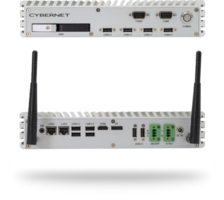
The Cybernet Advantage: That’s why Cybernet’s industrial computers use screw-lock connectors on critical ports like LAN and RS232 serial ports. These connectors physically lock the cable to the chassis, reducing or eliminating micro-movements and ensuring data transmission even in high-vibration environments.
Cable Strain and How To Prevent It
Cable strain refers to any stress that causes a cable to deteriorate over time. This includes physical, thermal, and chemical stresses, all of which can cause the cable's jacket to fail, expose internal wiring, break off the cable plug, or lose connectivity. Even constant exposure to harsh sunlight can cause a cable's jacket to become brittle and eventually crumble away.
Protecting against cable strain involves several methods, each addressing different threats:
Respect the Cable's Bend Radius
In compact industrial cabinets, space is at a premium. It is tempting to force cables into tight 90-degree turns to make them fit. Do not do this.
Every cable has a minimum bend radius, which is usually 6 to 8 times the cable’s diameter. Forcing a cable tighter than this limit crushes the internal copper shielding and insulation or causes the rubber jacket to wear out and expose the components within. Over time, this causes intermittent signal loss ("ghosting") or total connection failure.
The Fix:
- Use right-angle adapters where space is tight, rather than bending the cable itself.
- Ensure there is enough slack in the service loop so the cable isn't pulled taut when the mounting arm moves.
Use Protective Sleeving
Depending on your operating environment, you may want to invest in extra protective sleeving for important cables connecting your industrial computers. Braided sleeving made of polyester or polyamide remains flexible while offering significantly more resistance to abrasive, thermal, and mechanical forces that would wear through a standard rubber or plastic jacket. These sleeves can even protect against rodent and pest damage.
For multiple cable protection, consider a corrugated plastic conduit. These conduits are flexible enough to route where needed and durable enough to protect the cables within, including Cat6 and Cat5e Ethernet cables.
Strain Relief Fittings and Bushings To Relieve Stress
For certain applications, such as when a cable must pass through a wall or enclosure, specialized fittings and bushings can protect the cable as it traverses from one side to the other. Drilled holes often have rough or uneven edges that can cut and fray a cable, eventually damaging it. A bushing placed in the hole before threading the cable through prevents this damage from occurring.
If you need a cable to make a sudden right angle near the plug (such as when there isn't enough space behind the computer for the cable to bend naturally), you can use a right-angle adapter to connect the cable plug and port without forcing it to contort past its bend radius. This is particularly important for preventing USB-C cable damage, which can occur due to excessive strain on the connector.
On the PC itself, the weight of a hanging cable can pull directly on a port’s soldering points inside the motherboard. Over time, this can strain the solder joints, causing the port to break off of the motherboard itself.
The Cybernet Advantage: Many of our industrial all-in-one PCs feature an integrated cable management hood. This lockable cover secures cables before they exit the device, bearing the weight of the cords so that the ports don’t have to. It also prevents accidental unplugging during washdowns or shift changes.
Why Your Mounting Configuration Matters
Many issues related to port wear and cable strain arise from how and where an industrial computer is mounted in its work environment. This could involve mounting a computer too close to a wall or surface, making it difficult to access the I/O ports on the rear or sides, or stuffing a mini PC into a corner to save space. When installing a new computer in your workspace, balance the need to conserve space with accessibility. Otherwise, your employees may end up blindly groping for a USB port or damaging cables by yanking them out of their ports.
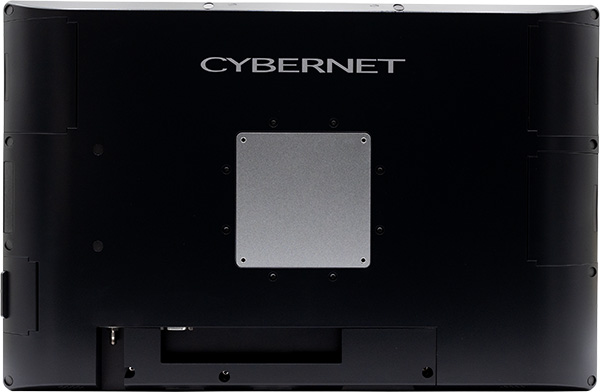
A universal VESA mount solution is often ideal, as these mounts are unobtrusive and provide easy access to the sides and back of the computer (where the ports are typically located) without compromising structural integrity. For rugged mini PCs, DIN rails provide a mounting solution that helps conserve space while still preserving accessibility for the computer's ports and cables.
Get More Out Of Your Computers With Cybernet Manufacturing
While computer design and reliability are obviously top priorities in industrial IT, you cannot ignore basic essentials for your computer's ports, cables, and mounting configuration. Failing to take steps to prevent port wear or cable strain can easily turn even the most advanced and powerful industrial PC into a useless brick. Neglecting these aspects can lead to various issues such as packet loss, dropping frames, and even hardware failure.
If your company needs rugged industrial computers designed to help prevent these kinds of damage, contact Cybernet Manufacturing. Our computers and tablets are intelligently designed to make plugging and unplugging easy and accessible, and are compatible with mounting solutions that don't compromise space for ease of use. Our commitment to reliability is why our computers enjoy a failure rate of just 0.5% per year.