Purchasing new hardware is one of the most consequential parts of running a hospital. A poor purchase isn’t just a hole burned into your budget; a device failing at the wrong moment can quickly lead to unplanned downtime, regulatory consequences, and medical injury lawsuits.
Before you commit to purchasing a new medical computer, you need to ask the right questions of your potential partner to make sure that they’re a trustworthy vendor and that you can trust their products. We’ll walk you through the most important questions to ask and provide you with the checklist you need to make an informed decision with our healthcare IT buyer’s guide.
Do You Know What “Medical-Grade” Actually Means?
Terms like “medical-grade,” “rugged,” and “bleeding edge” get thrown around a lot, often by unscrupulous vendors who don’t truly understand what those terms mean and have no way to back up their words. In truth, it requires far more than just slapping a white plastic case on a motherboard and calling it a day.
The truth is that “medical-grade” is far too broad a concept for a single, one-size-fits-all definition. Different tools used in healthcare will need to adhere to radically different standards, depending on how they’re used; a tongue depressor has radically different concerns compared to a medical computer, for instance.
For a computer or other electronic device to be considered “medical-grade,” it should (at minimum) have certifications such as:
- IEC 60601: This international standard should be considered the essential requirement for any electrical equipment used in a medical setting. Adhering to the baseline standard IEC 60601-1 will ensure that electrical equipment does not accidentally shock patients or healthcare providers during use. Further standards cover other potential risk factors, such as electromagnetic interference or radiation exposure. If a self-proclaimed “medical-grade” manufacturer cannot provide documentation that verifies they meet these standards, they cannot be trusted.
- Ingress Protection (IP) Ratings: Another critical standard for any electronic medical device to include is its IP rating. These ratings reflect how well a device’s casing blocks out solid matter and liquids from reaching the components inside. Healthcare settings in particular require high IP ratings, as devices are constantly exposed to liquid splashes and frequently cleaned and disinfected to prevent the spread of pathogens. Without a strong IP rating (preferably IP65), a device is far more likely to suffer damage and fail unexpectedly.
- Fanless Cooling Features: Most computers rely on fans to blow hot air away and cool air over their components to prevent them from overheating. However, these same fans also blow dust and pathogens into the air, increasing the chances of infection. For this reason, healthcare computers should rely on fanless cooling solutions instead.
When auditing a vendor, request documentation confirming that their devices are IEC 60601-certified and have been tested for ingress protection. At Cybernet, we keep these documents readily available for all of our devices for the sake of transparency.
Are Your Workstations and Displays Compliant and Ready For Integration?
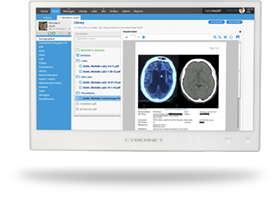
Beyond basic safety and reliability standards, any medical computer or tablet also needs to be ready to integrate into your pre-existing infrastructure. For example, can your device support DICOM (Digital Imaging and Communications in Medicine) standards for any medical images it stores and displays? Is it compatible with your current EHR solution? Is it easy for your IT team to push patches and security updates? Given the stakes in healthcare, you cannot accept anything other than “Yes” to all those questions.
The best way to test a manufacturer’s claims is to request a demo unit for a trial run. If the manufacturer refuses to provide one, that should give you a good idea of how trustworthy their product is. If they do give you a demo unit, you’ll have the perfect opportunity to see how it performs without committing to a full purchase.
Take this opportunity to test the device under real operating conditions it would encounter in a full deployment, using all the tools you rely on in a typical shift. If there are problems like screen glare under harsh medical lighting or lag while loading EHR files, this is when they’ll become obvious. This will let you identify where the computer or tablet excels and which aspects need adjustment or correction.
Ergonomics and Uptime: What Your Hardware Owes Your Clinical Staff
Outside of technical compatibility, another critical aspect to address is ease of use for providers and ergonomic features. Healthcare workers experience some of the highest rates of workplace injuries and musculoskeletal disorders, partially because of equipment that isn’t suitable for their bodies. You need equipment that adjusts to workers, not the other way around.
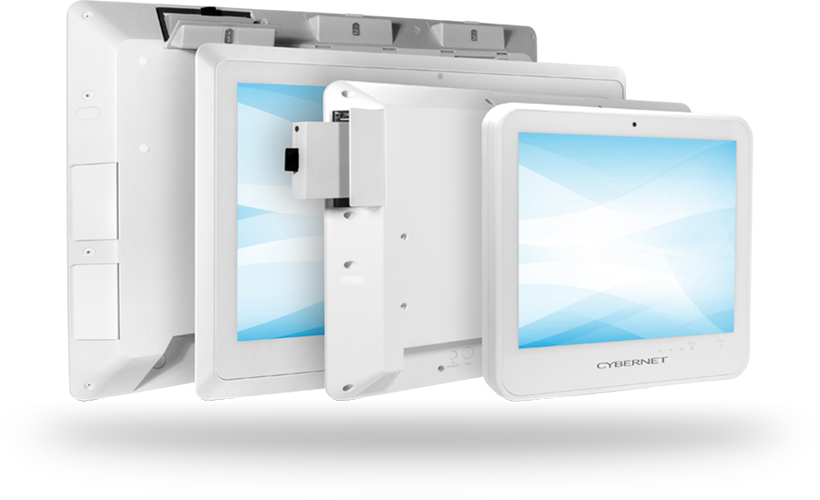
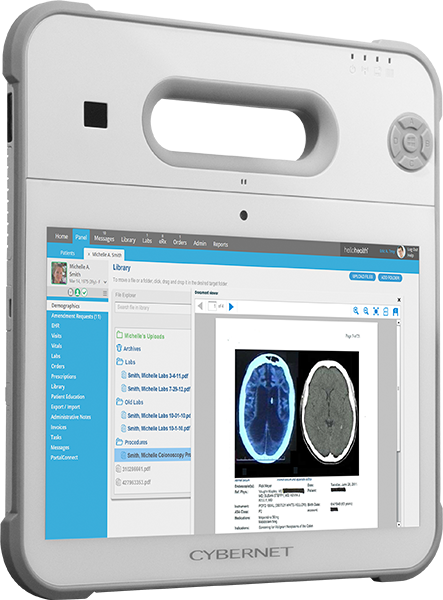
If a medical computer or tablet is lighter and easier to carry or push on a cart throughout a shift, it’s far more likely that your providers will embrace it. When you’re talking to a vendor, look for ergonomic features such as adjustable screen brightness, height- and angle-adjustable carts, and carrying straps and handles for smaller devices. Even these minor concessions help prevent chronic injuries that leave you short-staffed and overwhelmed.
Another key area of concern is battery runtime and hot-swap capability. With limited space and time for charging spent cart batteries, many healthcare CIOs and IT directors are turning to alternative solutions. With hot-swappable batteries, providers can simply replace drained packs in their battery-powered medical panel PCs with freshly charged units, improving uptime. These batteries also cost less upfront and take longer to degrade when compared to a conventional cart-mounted battery, saving money on the bottom line.
How Durable and Capable Are Your Tablets and Handhelds?
The last thing you want after buying a new medical tablet is for the screen to crack the first time it gets dropped. Any handheld device, such as a computer tablet, is far more likely to be dropped, bumped, or stepped on, which makes it all the more important that it be engineered to handle such accidents.
In addition to the ingress protection ratings we mentioned earlier, when considering a medical computer tablet solution, ask the manufacturer about drop tests and shock resilience. These tests simulate the kinds of accidents tablets are most likely to encounter, and withstanding them is an excellent indicator of the device’s reliability in the real world. A trustworthy manufacturer or vendor will provide documentation covering these tests.
Beyond mechanical reliability, medical touchscreen tablets can be vulnerable to false inputs caused by liquids on their screen or failing to register inputs if the user is wearing gloves. Obviously, these two scenarios are extremely likely in a healthcare setting. When considering your options for a mobile computing solution, ask whether the touchscreen can filter out false inputs while still recognizing authentic ones. This can be the difference between owning a useful and effective device or a glorified plastic brick.
Do You Know the Total Cost of Ownership (TCO)?
During procurement, it can be easy to focus purely on the upfront sticker price. But medical-grade computers and tablets are a far more committed purchase than something like bandages or IV bags.
A typical medical computer will be used for at least five years, assuming there are no major breakdowns or equipment failures. This means the computer’s cost also includes maintenance costs, such as repairs, battery replacements, and unexpected downtime. A medical panel PC with a lower upfront cost might end up costing you far more than you predicted when it breaks down and leaves you without critical tools at the worst moment possible. An unexpected failure in the middle of surgery or a compatibility issue with other equipment can leave you thousands, even millions of dollars in the red.
The total cost of ownership (TCO) is a true calculation of the price of a device, including both the initial purchase and any expenses it may incur over time. If a medical-grade computer costs more upfront but has fewer expenses over the years compared to a consumer-grade device, then it has a lower TCO. Calculating the TCO is a key part of the procurement process, and a trustworthy manufacturer should be able to help you with these calculations.
A Buyer’s Guide to Medical Computers from Cybernet Manufacturing
Given the stakes in healthcare, you can’t afford to skimp on a budget option if it compromises safety and reliability. During the procurement process for medical-grade computers, make sure you follow our buyer’s guide for medical computers. By answering these questions, you’ll know for certain if your choice of device can handle the challenges of the healthcare sector.
If you’re ready to talk specifics, Cybernet’s team has helped hospitals and healthcare groups navigate these decisions for over 20 years. As an original equipment manufacturer, we maintain full control over our manufacturing process and bill of materials, allowing us to customize our products to your exact requirements.